
Through the Looking-Glass - Google Play
You'll be able to see results in few seconds.
Publisher Description


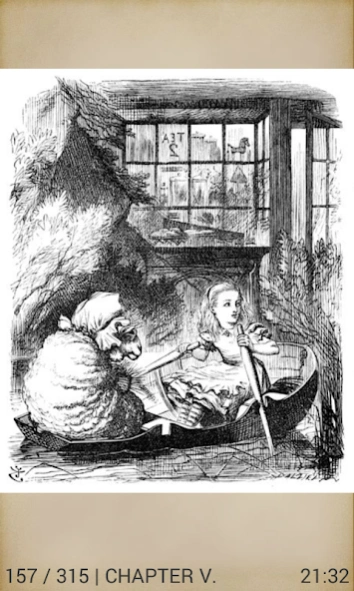
Tales classic book: Through the Looking-Glass by Lewis Carroll
Through the Looking-Glass, and What Alice Found There
by Lewis Carroll
Virtual Entertainment, 2013
Series: Tales classic books
It is the sequel to Alice's Adventures in Wonderland (1865). The themes and settings of Through the Looking-Glass make it a kind of mirror image of Wonderland: the first book begins outdoors, in the warm month of May (4 May), uses frequent changes in size as a plot device, and draws on the imagery of playing cards; the second opens indoors on a snowy, wintry night exactly six months later, on 4 November (the day before Guy Fawkes Night), uses frequent changes in time and spatial directions as a plot device, and draws on the imagery of chess. In it, there are many mirror themes, including opposites, time running backwards, and so on.
WITH FIFTY ILLUSTRATIONS
BY JOHN TENNIEL
Look for other books on our site: http://books.virenter.com
About Through the Looking-Glass
The company that develops Through the Looking-Glass is Virtual Entertainment. The latest version released by its developer is 1.0.
To install Through the Looking-Glass on your Android device, just click the green Continue To App button above to start the installation process. The app is listed on our website since 2026-07-27 and was downloaded 0 times. We have already checked if the download link is safe, however for your own protection we recommend that you scan the downloaded app with your antivirus. Your antivirus may detect the Through the Looking-Glass as malware if the download link to com.virenter.books.AOUCUFFNSQVADAWWM is broken.
How to install Through the Looking-Glass on your Android device:
- Click on the Continue To App button on our website. This will redirect you to Google Play.
- Once the Through the Looking-Glass is shown in the Google Play listing of your Android device, you can start its download and installation. Tap on the Install button located below the search bar and to the right of the app icon.
- A pop-up window with the permissions required by Through the Looking-Glass will be shown. Click on Accept to continue the process.
- Through the Looking-Glass will be downloaded onto your device, displaying a progress. Once the download completes, the installation will start and you'll get a notification after the installation is finished.
Program Details
System requirements
Download information
Pricing
Version History
version
posted on 2026-07-27
version 7.4
posted on 2020-03-20
Added the ability to free switch off ads in the current book reading session
Disclaimer
Official Google Play Link
We do not host the Through the Looking-Glass app on our servers. We did not scan it for viruses, adware, spyware or other type of malware. This app is hosted by Google and passed their terms and conditions to be listed there. We recommend caution when installing it.
The Google Play link for Through the Looking-Glass is provided to you by apps112.com without any warranties, representations or guarantees of any kind, so access it at your own risk.
If you have questions regarding this particular app contact the app developer directly. For questions about the functionalities of the apps112.com website, contact us.
